
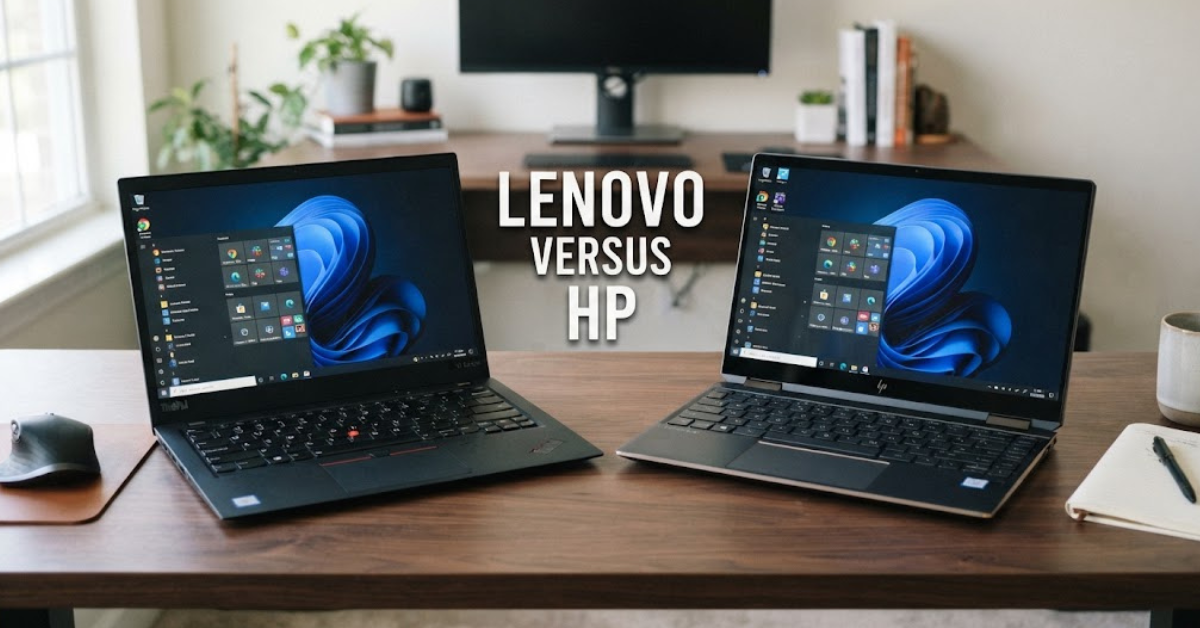
Buying a laptop can feel like choosing between two very familiar names. Lenovo versus HP is a comparison that comes up constantly because both brands offer everything from affordable everyday laptops to premium ultrabooks, business machines, workstations, and gaming systems.
But here’s the catch: comparing Lenovo and HP by brand alone doesn’t tell you much.
A Lenovo IdeaPad is built for a different audience than a ThinkPad. Likewise, an HP OmniBook is very different from an EliteBook or a gaming-focused OMEN machine. Lenovo’s current portfolio spans ThinkPad, ThinkBook, Yoga, IdeaPad, Legion, and LOQ families, while HP has consolidated its consumer laptop range under OmniBook and continues to offer dedicated business and gaming lines.
So, when you’re comparing Lenovo versus HP laptops, the real question isn’t simply which logo is better.
It’s which laptop gives you the right combination of performance, comfort, battery life, features, durability, and price for the way you actually use a computer.
Let’s take a closer look.
Lenovo Versus HP: What’s the Difference?
Lenovo and HP compete across many of the same laptop categories, but their product families have distinct purposes.
Lenovo’s major laptop families include:
- ThinkPad — business and professional computing
- ThinkBook — business-oriented laptops with a more consumer-friendly design
- IdeaPad — everyday and value-focused computing
- Yoga — premium, flexible, and 2-in-1 laptops
- Legion — gaming laptops
- LOQ — gaming-focused systems at different price points
Lenovo continues to expand these families with new AI PCs and form factors. Its 2026 portfolio includes new ThinkPad, Yoga, IdeaPad, Legion, and LOQ systems.
HP has recently simplified its consumer lineup under the OmniBook name. The company says OmniBook brings together the former Pavilion, ENVY, and Spectre consumer families into one broader portfolio.
HP also maintains separate categories for commercial and specialized users, including EliteBook, ProBook, ZBook, OMEN, and other systems.
That means you shouldn’t compare “Lenovo” with “HP” as if each company makes one type of laptop.
The specific model matters far more.
Lenovo vs HP for Performance
Performance is one of the first things shoppers look at, but processor speed isn’t the whole story.
Two laptops can use the same processor and still perform differently because of cooling, power limits, memory configuration, storage, and chassis design.
For everyday tasks such as:
- Web browsing
- Microsoft Office
- Streaming
- Video calls
- Schoolwork
- Light multitasking
a modern Lenovo or HP laptop can provide plenty of performance.
The difference becomes more important when you’re doing demanding work.
Video editing, 3D rendering, software development, engineering applications, gaming, and large-scale multitasking can benefit from stronger processors, dedicated graphics, more RAM, and better thermal management.
Lenovo’s lineup includes powerful Legion gaming laptops and ThinkPad workstations, while HP offers specialized systems for professional and creative workloads.
When comparing two models, check the complete hardware configuration rather than just the processor name.
Lenovo Versus HP Laptops for Students
Students typically need a laptop that can handle everyday work without becoming a burden to carry around.
Weight, battery life, keyboard comfort, webcam quality, and price can matter more than having the most powerful processor available.
Lenovo offers several student-friendly categories, including IdeaPad and Yoga models. Lenovo describes IdeaPad as a range of high-value, mobile devices aimed at everyday use.
HP’s OmniBook lineup also covers everyday and student-oriented computing, with models ranging from straightforward laptops to more premium systems.
For college or school, look for:
- At least enough RAM for your normal multitasking.
- An SSD rather than slower traditional storage.
- A comfortable keyboard.
- A display that is bright enough for your environment.
- A battery suitable for your typical class or study schedule.
- A weight you won’t mind carrying every day.
A student who mostly writes papers doesn’t necessarily need the same laptop as someone studying engineering, architecture, computer science, or video production.
Lenovo vs HP for Business
Business laptops have different priorities from ordinary consumer machines.
Security, durability, keyboard quality, docking support, manageability, and warranty options can become extremely important.
Lenovo’s ThinkPad family has long occupied the business laptop segment. Lenovo’s 2026 ThinkPad portfolio continues to focus on enterprise computing, including security, manageability, mobility, and AI-enabled systems.
HP’s business portfolio includes EliteBook and ProBook systems. HP’s 2026 commercial announcements continue to emphasize enterprise security, productivity, connectivity, and hybrid-work requirements.
For business use, pay attention to:
- Security features
- Webcam and microphone quality
- Keyboard
- Battery life
- USB-C and docking support
- Display quality
- Warranty
- Repair and service options
- Weight
- Port selection
For an employee who spends eight hours a day typing, keyboard comfort may matter more than a small benchmark advantage.
Lenovo Versus HP for Gaming
Gaming laptops are an entirely different category.
Lenovo uses the Legion and LOQ brands for gaming systems. Lenovo’s current catalog includes Legion laptops with high-end NVIDIA graphics as well as LOQ models aimed at different performance levels.
HP’s gaming portfolio includes OMEN and Victus.
When comparing gaming laptops, don’t stop at “Core i7” or “Ryzen 7.”
Look at:
- Exact GPU
- GPU power limits
- CPU
- Cooling system
- RAM
- SSD capacity
- Display refresh rate
- Display resolution
- Battery capacity
- Weight
- Fan noise
The graphics processor is especially important for gaming.
A laptop with a slightly less impressive-looking chassis but a stronger GPU can behave very differently in demanding games.
Lenovo vs HP for Creators
Photographers, video editors, designers, and other creators need to think beyond general performance.
A creator may care about:
- Color accuracy
- Display resolution
- Screen size
- GPU performance
- RAM
- SSD capacity
- CPU performance
- Thunderbolt or high-speed USB connectivity
- SD card support
- Cooling
Lenovo’s Yoga family includes premium creator-oriented systems, while its ThinkPad and workstation offerings address more demanding professional workloads. Lenovo highlighted new Yoga creator devices and AI-powered systems in its 2026 product announcements.
HP’s OmniBook Ultra line is positioned for creative and technical professionals, with selected models offering high-resolution OLED displays and powerful processors.
For creative work, the display deserves special attention.
A beautiful-looking laptop with a mediocre screen may not be the right tool for professional photo or video work.
Build Quality and Design
Design is difficult to judge from a specification sheet.
A laptop can look premium in photographs but feel completely different when you actually carry it, open the lid, type on the keyboard, or use the trackpad.
Lenovo offers everything from practical IdeaPad machines to premium Yoga systems and business-focused ThinkPads.
HP’s current OmniBook range similarly covers mainstream and premium designs. HP says its OmniBook family ranges from everyday systems to ultra-premium laptops designed for demanding users.
If portability matters, compare the actual weight and dimensions.
If durability matters, look at the construction materials, hinge design, warranty, and business certification or testing where applicable.
Don’t assume that a more expensive laptop is automatically more durable.
Lenovo vs HP Display Quality
The display is one of the most overlooked parts of a laptop purchase.
You may spend hours staring at it, yet shoppers often compare processors and ignore the screen.
Don’t make that mistake.
Check:
- Resolution
- Brightness
- Refresh rate
- Panel type
- Color coverage
- Contrast
- Touch support
- Aspect ratio
- Anti-glare treatment
HP’s current OmniBook Ultra lineup includes configurations with displays up to 3K OLED and advertised Delta E <1 color accuracy on certain models.
Lenovo also offers high-resolution OLED displays across selected Yoga and other premium systems. Its current portfolio includes premium Yoga models aimed at creative and mobile users.
For basic office work, you may not need an expensive OLED display.
For photography, video editing, design, or entertainment, the difference can be much more noticeable.
Battery Life: Lenovo vs HP
Battery life is another specification that requires some caution.
Manufacturers usually publish battery estimates based on particular testing conditions. Your actual results can vary depending on screen brightness, applications, processor workload, wireless connectivity, power settings, and battery health.
Both Lenovo and HP now offer laptops built around energy-efficient processors and AI PC platforms.
HP’s 2026 commercial announcements, for example, include systems that HP says can reach up to 28 hours of battery life under its specified testing conditions.
Lenovo likewise offers thin-and-light systems designed around mobility and longer unplugged use, although actual battery life varies by model and configuration. Lenovo specifically notes that battery life varies significantly depending on device, settings, usage, and other factors.
For a meaningful comparison, compare independent battery testing of the exact two laptops you’re considering.
Keyboard and Trackpad
Here’s something benchmarks can’t tell you: how pleasant the laptop is to use.
If you write reports, code, emails, or articles every day, the keyboard can become one of the most important features.
Lenovo’s ThinkPad line is particularly associated with its distinctive keyboard design and TrackPoint pointing device, while different HP laptops use their own keyboard and touchpad layouts.
But personal preference matters.
Before buying, consider:
- Key travel
- Key spacing
- Keyboard layout
- Backlighting
- Trackpad size
- Trackpad responsiveness
- Palm-rest comfort
If possible, try the laptop in a store.
Ten minutes of actual typing can tell you something that a specification sheet never will.
Ports and Connectivity
Thin laptops often sacrifice ports for portability.
That isn’t necessarily a problem—unless your daily workflow requires them.
Think about the accessories you already use.
A photographer might need an SD card reader. A business user may depend on USB-C docking. A gamer may want several USB ports and HDMI.
Before buying, make a quick list of your regular connections:
- USB-A
- USB-C
- HDMI
- Headphone jack
- SD or microSD
- Ethernet
- External display
- Docking station
Then check the exact laptop.
Don’t assume two laptops in the same product family have identical ports.
Upgradability and Repairability
Laptop designs have become thinner and more integrated, so upgrade options vary substantially between models.
Before buying, check whether the RAM is soldered and whether the SSD can be replaced.
Also check battery replacement procedures and the availability of official parts.
This matters if you’re planning to keep the laptop for several years.
A laptop that meets your needs today might feel limiting later if you cannot expand its storage or memory.
For business buyers, repairability can be particularly relevant because organizations may keep systems in service for longer periods.
Lenovo has also highlighted modularity and repairability as part of its business-computing innovation efforts in 2026.
Lenovo Versus HP: Price and Value
Price is where laptop comparisons often become misleading.
Suppose you find a Lenovo laptop for $800 and an HP laptop for the same amount.
That doesn’t mean they offer equivalent value.
One might have:
- More RAM
- A better display
- A faster SSD
- A stronger processor
- A larger battery
- A dedicated GPU
while the other might have a lighter chassis or better screen.
Instead of asking which brand is cheaper, compare the actual configurations.
| Feature | Lenovo | HP |
| Processor | Exact CPU | Exact CPU |
| RAM | Capacity/type | Capacity/type |
| Storage | SSD capacity | SSD capacity |
| Display | Resolution/panel | Resolution/panel |
| GPU | Integrated/dedicated | Integrated/dedicated |
| Battery | Capacity/test results | Capacity/test results |
| Weight | Exact weight | Exact weight |
| Warranty | Local terms | Local terms |
This gives you a much more useful picture of value.
Lenovo vs HP for Everyday Use
For everyday computing, you don’t necessarily need a premium machine.
If your routine consists of browsing, streaming, online shopping, office applications, email, and video calls, a well-configured mainstream laptop can be sufficient.
Lenovo’s IdeaPad line is aimed at everyday computing, while HP’s OmniBook range includes mainstream consumer models alongside more premium systems.
Focus on the basics:
- Comfortable display
- Good keyboard
- Enough RAM
- SSD storage
- Reliable Wi-Fi
- Good webcam
- Comfortable weight
- Reasonable battery life
Spending more on specifications you will never use doesn’t necessarily improve your experience.
Lenovo vs HP for 2-in-1 Laptops
If you like the idea of turning a laptop into a tablet, both brands offer convertible systems.
Lenovo has an extensive Yoga lineup, including 2-in-1 models. Its current catalog includes Yoga 7i, Yoga 9i, Yoga 7a, and other convertible systems.
HP also offers convertible and flexible OmniBook configurations.
A 2-in-1 can be particularly useful if you:
- Take handwritten notes
- Draw
- Present information
- Watch videos in tablet mode
- Use a stylus
- Want one device for work and entertainment
Just remember that a convertible hinge and touchscreen can add weight, complexity, and cost compared with a conventional clamshell laptop.
Lenovo Versus HP for Portability
If you carry your laptop everywhere, every gram eventually matters.
A 15- or 16-inch laptop can provide a larger display and keyboard but may be less convenient for commuting.
A 13- or 14-inch model can be easier to carry but may offer less screen space.
Lenovo’s lineup includes lightweight Yoga and ThinkPad models designed for mobility, while HP offers lightweight OmniBook systems as well. Lenovo’s 2026 portfolio includes the Yoga Slim 7i Ultra Aura Edition and other thin-and-light systems.
When comparing portability, consider the complete package:
- Laptop weight
- Charger weight
- Screen size
- Battery life
- Thickness
- Power adapter size
A lightweight laptop isn’t quite as lightweight if its charger is enormous.
Lenovo Versus HP for Business Travel
Frequent travelers should pay special attention to durability, battery life, charger size, and connectivity.
A good travel laptop should be comfortable to carry while still providing enough ports and battery capacity for your workflow.
Business-focused ThinkPad and EliteBook systems are designed around professional use, while premium consumer machines from both brands can also be suitable for frequent travelers.
Think about where you’ll use the laptop.
If you’re regularly working on airplanes or in coffee shops, screen brightness and battery life can become much more important than raw processing power.
Lenovo vs HP: Which Is Easier to Choose?
The easiest way to make the decision is to start with your needs rather than the brand.
For Students
Look for:
- Low weight
- Good battery life
- Comfortable keyboard
- Webcam
- SSD
- Reasonable price
For Office Work
Prioritize:
- Keyboard
- Display
- Webcam
- Battery
- Ports
- Docking support
For Gaming
Focus on:
- GPU
- CPU
- Cooling
- Display refresh rate
- RAM
- SSD
For Creators
Look for:
- Color-accurate display
- High resolution
- Powerful CPU
- Dedicated GPU where needed
- Plenty of RAM
- Fast storage
For Business
Consider:
- Security
- Manageability
- Durability
- Warranty
- Support
- Docking
- Repairability
For General Home Use
You can usually prioritize:
- Price
- Display
- Battery
- Keyboard
- SSD
- Sufficient RAM
Common Mistakes When Comparing Lenovo and HP
1. Comparing brands instead of models
A ThinkPad and IdeaPad aren’t interchangeable, just as an OmniBook and EliteBook aren’t designed for exactly the same purpose.
2. Looking only at CPU names
Processor branding doesn’t tell you everything about sustained performance.
3. Ignoring the display
Screen quality can have a bigger impact on everyday comfort than a small performance difference.
4. Buying more power than you need
If you only browse and write documents, you may not need a high-end processor and dedicated GPU.
5. Forgetting portability
A powerful 16-inch laptop isn’t necessarily practical if you carry it to school every day.
6. Ignoring ports
Check the connections before buying, especially if you use external monitors or accessories.
7. Forgetting the local warranty
Warranty terms and service availability can differ by country and product.
8. Choosing based solely on brand reputation
A good reputation cannot compensate for a poor fit between the laptop and your workload.
Frequently Asked Questions
Is Lenovo better than HP?
There isn’t one answer that applies to every laptop. Both companies offer products for everyday computing, business, gaming, creative work, and other workloads. The exact model and configuration are more important than the brand name alone.
Which is better, Lenovo or HP for laptops?
When comparing Lenovo versus HP laptops, compare specific models based on processor, RAM, storage, display, GPU, battery, weight, ports, warranty, and price. Different product families are designed for different users.
Is Lenovo good for students?
Yes. Lenovo offers several laptop families suitable for students, including IdeaPad and Yoga models. The right configuration depends on the student’s workload, budget, portability requirements, and software needs.
Is HP good for students?
HP offers consumer laptops across a wide range of configurations, including mainstream OmniBook systems designed for everyday computing.
Is Lenovo good for business?
Lenovo’s ThinkPad family is specifically designed for business and enterprise computing, with current models emphasizing security, manageability, mobility, and productivity.
Is HP good for business?
HP offers dedicated commercial laptop families including EliteBook and ProBook. Its current commercial portfolio also includes systems built around enterprise security and hybrid-work requirements.
Is Lenovo or HP better for gaming?
Lenovo’s Legion and LOQ families and HP’s OMEN and Victus lines are designed for gaming. Rather than comparing the brands generally, compare the exact GPU, cooling system, display, CPU, RAM, and price of the models you’re considering.
Which has better battery life, Lenovo or HP?
Battery life varies substantially between individual models. Both companies offer systems designed for long mobile use, but manufacturer estimates are based on particular testing conditions. Actual runtime depends on workload, brightness, settings, connectivity, and battery health.
Which lasts longer, Lenovo or HP?
There is no meaningful lifespan figure that applies to every laptop from either company. Longevity depends on the individual model, components, usage, maintenance, battery aging, software requirements, and repairability.
Which is better for gaming, Lenovo Legion or HP OMEN?
Both are dedicated gaming families. Compare the specific configurations rather than the family names. GPU model and power, cooling, display refresh rate, processor, RAM, and storage can significantly affect the gaming experience.
Is Lenovo ThinkPad better for business than a consumer laptop?
ThinkPad is specifically designed for business and enterprise use, with features focused on security, manageability, durability, and professional workflows. Whether a particular ThinkPad fits your needs depends on its configuration and your workload.
Does HP still make Pavilion laptops?
HP has reorganized its consumer laptop portfolio under the OmniBook brand. HP says the OmniBook family incorporates the former Pavilion, ENVY, and Spectre consumer ranges into a unified lineup.
Final Thoughts on Lenovo Versus HP
The Lenovo versus HP comparison becomes much clearer when you stop asking which brand is universally better and start asking which specific laptop fits your needs.
Lenovo currently offers a broad selection spanning IdeaPad, Yoga, ThinkPad, ThinkBook, Legion, and LOQ, while HP’s consumer lineup has moved under OmniBook alongside separate business and specialized product families.
For students, portability and battery life may be the priority. For business users, security, keyboard quality, support, and manageability can matter more. Gamers should concentrate heavily on GPU and cooling, while creators may care most about display quality, memory, graphics, and sustained performance.
So before buying, shortlist two or three Lenovo versus HP laptops that fit your budget, then compare their actual specifications side by side.
That approach will give you a much clearer picture than choosing based on the brand name alone.