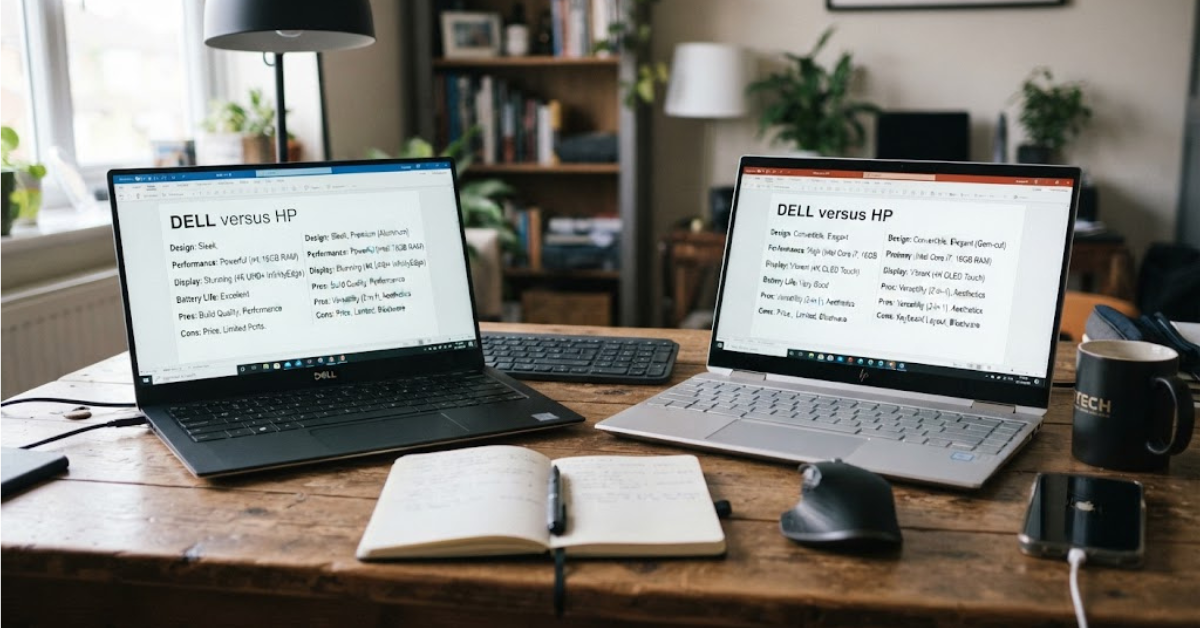
Buying a laptop can get surprisingly complicated. Two models can have similar processors, memory, and storage yet feel completely different once you start using them every day. That is why the Dell versus HP debate continues to come up whenever people shop for a new computer.
Both companies make laptops for students, professionals, home users, creators, business customers, and gamers. But they approach those categories differently, and the differences become more noticeable when you compare specific product lines rather than simply comparing the two logos.
As of 2026, Dell’s portfolio includes consumer Dell systems, premium XPS models, Dell Pro business machines, and Alienware gaming products. HP’s current lineup includes OmniBook consumer laptops alongside EliteBook and ProBook business systems, ZBook workstations, and OMEN and Victus gaming machines.
So, when comparing Dell versus HP laptops, what should you actually look at?
Let’s break it down.
Dell Versus HP: What’s the Real Difference?
The first thing to understand is that Dell and HP are not single laptop families.
Each company sells machines at different prices and for very different users.
A budget Dell and a premium XPS are not going to offer the same experience. Likewise, an entry-level HP and a business-oriented EliteBook are designed around different priorities.
Here’s a simplified look at their current laptop families:
| Category | Dell | HP |
| Everyday laptops | Dell | OmniBook |
| Premium consumer laptops | XPS | OmniBook Ultra / premium models |
| Business laptops | Dell Pro | EliteBook / ProBook |
| Workstations | Precision | ZBook |
| Gaming | Alienware | OMEN / Victus |
| 2-in-1 options | Selected models | Selected models |
Dell itself reorganized its PC portfolio in 2026, separating consumer-focused Dell products from its Dell Pro commercial lineup while bringing the XPS name back for premium consumer laptops.
HP, meanwhile, has consolidated much of its consumer laptop lineup under the OmniBook name while continuing separate business, workstation, and gaming families.
That makes the individual model more important than the brand name alone.
Dell Versus HP Laptops: Performance
Performance is usually the first specification people check, but it is also one of the easiest places to make a misleading comparison.
A laptop’s real-world performance depends on more than the processor.
You also need to consider:
- CPU generation and model
- GPU
- RAM capacity
- RAM type and configuration
- SSD performance
- Cooling system
- Power limits
- Display resolution
- Software configuration
A Dell and an HP with the same processor can therefore deliver different experiences.
For everyday activities such as browsing, office applications, video calls, streaming, and schoolwork, modern systems from either brand can provide more than enough performance.
For heavier workloads, the comparison becomes more interesting.
Dell’s Precision line is aimed at professional workstation workloads, while HP’s ZBook family occupies a similar workstation category.
For gaming, Dell uses Alienware, while HP offers OMEN and Victus systems. HP’s current lineup lists OMEN for high-performance gaming and Victus as another gaming option.
The takeaway is simple: compare the specifications and design of the actual models, not just Dell versus HP.
Dell vs HP for Students
Students usually have a different set of priorities.
A college laptop might spend hours in a backpack, run dozens of browser tabs, handle video meetings, and need to last through several classes without a charger.
For those users, the most important features are often:
- Battery life
- Weight
- Keyboard comfort
- Webcam quality
- Port selection
- Reliability
- Price
- Warranty and support
You probably don’t need an expensive workstation for writing assignments, browsing, presentations, and video calls.
Dell offers everyday and XPS models, while HP’s OmniBook range includes systems specifically positioned for students and everyday users. HP describes its OmniBook 5 and OmniBook 3 families as suitable for students, families, and everyday computing.
The better choice depends heavily on the exact configuration and the price available where you live.
Dell Versus HP for Business
Business users often care about things that aren’t obvious from a laptop’s product photo.
Security, manageability, docking compatibility, warranty options, keyboard comfort, and long-term support can matter just as much as processor speed.
Dell’s commercial portfolio now uses the Dell Pro name for work-oriented PCs, while HP continues to offer business-focused EliteBook and ProBook families.
Dell also provides business support and service options, including ProSupport services for PCs.
HP similarly offers business and commercial warranty and support services, with coverage varying by product and service plan.
For an individual business buyer, look carefully at the exact warranty, service level, security features, ports, docking support, and upgrade options rather than assuming the brand itself determines business quality.
Dell Versus HP for Gaming
Gaming changes the equation completely.
A gaming laptop needs much more than a fast CPU. The graphics processor, cooling system, display refresh rate, memory, storage, and chassis design all affect the experience.
Dell’s gaming portfolio includes Alienware, which is positioned around high-performance gaming. Dell announced an expanded Alienware laptop lineup in 2026, including new product classes aimed at different levels of portability and pricing.
HP offers both OMEN and Victus gaming laptops.
When comparing gaming laptops, pay particular attention to:
- Dedicated GPU model
- GPU power limit
- Display refresh rate
- Resolution
- Cooling design
- RAM
- SSD capacity
- Fan noise
- Weight
- Battery capacity
A cheaper laptop with a stronger GPU can sometimes make more sense for gaming than a more expensive machine with a premium chassis but weaker graphics hardware.
Dell Versus HP for Business Professionals
For office workers and professionals, the display and keyboard can matter more than headline benchmark numbers.
Think about how you actually work.
If you spend eight hours a day writing documents, answering email, analyzing spreadsheets, or attending video meetings, a comfortable keyboard and good screen can make a bigger difference than having an unnecessarily powerful processor.
Dell’s business-oriented Dell Pro systems are designed around professional computing, while HP’s EliteBook and ProBook lines occupy similar territory.
For professional use, check:
- Keyboard layout
- Screen brightness
- Resolution
- Webcam
- Microphone quality
- USB-C capabilities
- HDMI availability
- Docking compatibility
- Wi-Fi generation
- Security features
- Warranty coverage
These are the specifications that can affect your daily workflow.
Dell Versus HP for Creators
Content creators need a different balance.
A photographer may prioritize color accuracy and display quality. A video editor may care more about CPU/GPU performance, RAM, storage, and sustained cooling.
A graphic designer may want a high-resolution display and accurate colors, while a 3D artist could prioritize GPU performance.
Both Dell and HP have products aimed at demanding creative and professional workloads.
Dell’s premium XPS range includes models with high-end displays and modern processors, while its Precision workstations target professional workloads.
HP’s OmniBook Ultra targets creative and technical professionals, with configurations reaching up to 64 GB of memory and 2 TB of storage on its current U.S. lineup. HP’s ZBook family is positioned for professional workstation use.
For creators, don’t buy based solely on the logo.
Instead, identify the software you’ll use and work backward from its recommended specifications.
Build Quality and Design
Design is one area where personal preference matters considerably.
Dell’s 2026 XPS models use CNC-machined aluminum and emphasize thin, lightweight construction. Dell lists the 2026 XPS 13 at approximately 1 kg starting weight, with a 13.4-inch display.
HP’s current OmniBook lineup also includes thin-and-light machines, 2-in-1 designs, and premium models. HP describes its OmniBook range as covering everything from everyday laptops to ultra-premium systems.
But “premium” doesn’t necessarily mean “better” for every user.
A lightweight laptop may be ideal for frequent travelers but less suitable if you need a large selection of ports.
A heavier laptop may offer better cooling or more powerful components.
Always check the physical specifications before buying.
Display Quality: Dell vs HP
The screen is one of the components you’ll interact with constantly, so it deserves more attention than it usually gets.
Look beyond screen size.
Check:
- Resolution
- Brightness
- Refresh rate
- Panel technology
- Color coverage
- Touch support
- Aspect ratio
- Anti-glare treatment
HP currently offers OmniBook models with displays reaching up to 3K OLED on certain configurations.
Dell’s current XPS lineup also includes high-resolution and OLED display options on selected models.
For ordinary office work, you may not need an OLED screen.
For photo editing, video production, entertainment, or design, however, display characteristics can become much more important.
Battery Life
Battery life is one of the hardest specifications to compare fairly.
Manufacturers use specific testing methods, while real-world battery life depends on screen brightness, applications, processor workload, wireless connections, power settings, and battery health.
Dell says its 2026 XPS models can provide substantial battery runtime under its stated test conditions. For example, Dell lists up to 17 hours for one XPS 13 configuration in its Australian store, while its CES announcement cites different maximum figures depending on the test scenario.
HP likewise emphasizes long battery life across its OmniBook lineup.
That is why published battery numbers should be treated as reference points rather than guarantees.
If battery life matters to you, compare independent testing of the exact model you are considering.
Keyboard and Trackpad
A laptop can have impressive specifications and still be unpleasant to use if the keyboard or trackpad isn’t comfortable.
This is particularly important for writers, students, programmers, and office workers.
When possible, test the laptop in person.
Pay attention to:
- Key travel
- Key spacing
- Layout
- Backlighting
- Trackpad size
- Trackpad responsiveness
- Palm-rest comfort
This is one area where specifications can’t tell the whole story.
Ports and Connectivity
Don’t assume a thin laptop has everything you need.
Modern premium laptops increasingly rely on USB-C, but users may still need USB-A, HDMI, an SD card reader, Ethernet through an adapter or dock, or a headphone jack.
Before buying, make a list of the devices you regularly connect.
For example:
Photographer: SD card reader may be important.
Office worker: USB-C docking support may matter more.
Gamer: HDMI and multiple USB ports could be useful.
Student: A simple USB-C and USB-A combination may be enough.
HP’s current OmniBook lineup highlights USB-C, USB-A, HDMI, Wi-Fi, and Bluetooth connectivity, although ports vary by model.
Dell models similarly vary considerably by product family.
Upgradability and Repairs
This is an easy detail to overlook when buying a new laptop.
Some laptops provide more accessible components than others, while thin premium machines can have more integrated designs.
Before buying, check whether the specific model allows upgrades to:
- RAM
- SSD
- Wi-Fi components
- Battery
Also check the availability and price of replacement parts.
Dell provides a dedicated support structure for replacement parts and upgrades, and its support resources include repair and maintenance information.
HP also provides warranty and support resources, but repairability and upgrade options vary from one model to another.
If you plan to keep a laptop for many years, this can be more important than a small difference in processor performance.
Warranty and Customer Support
Support is particularly important for expensive laptops.
Dell provides online support through product identification, warranty checking, troubleshooting, and service options. Its support system uses identifiers such as a Service Tag or Product ID to connect customers with device-specific information.
HP provides warranty-status tools and several support options, while its standard manufacturer warranty can vary by product and may range from one to three years according to HP’s published guidance.
The exact terms depend on the product, country, retailer, and service plan.
If you’re buying in a market outside the United States, check the local warranty conditions before paying.
Dell Versus HP: Price and Value
Price comparisons are tricky because laptop configurations change frequently.
A $700 laptop from one company may have a different processor, display, RAM, storage, and warranty from a $700 laptop sold by the other.
Instead of asking:
“Is Dell cheaper than HP?”
Ask:
“What am I getting for this exact price?”
Create a simple comparison:
| Specification | Dell Model | HP Model |
| Processor | Check exact CPU | Check exact CPU |
| RAM | Capacity + type | Capacity + type |
| Storage | SSD capacity | SSD capacity |
| Display | Resolution + panel | Resolution + panel |
| GPU | Integrated/dedicated | Integrated/dedicated |
| Battery | Capacity/testing | Capacity/testing |
| Weight | Exact weight | Exact weight |
| Warranty | Local terms | Local terms |
This prevents the common mistake of comparing brand reputation instead of actual hardware.
Dell vs HP: Which Is Better for Long-Term Use?
Long-term ownership depends on the individual laptop more than the manufacturer’s name.
A machine with adequate cooling, a good battery, a durable chassis, sufficient memory, and repair support can remain useful for years.
Before purchasing, think about how your requirements might change.
A student who only needs web browsing today might eventually need software for programming, design, engineering, or data analysis.
Buying enough performance and memory for your expected workload can make the laptop more useful over time.
Common Mistakes to Avoid When Buying a Dell or HP Laptop
1. Comparing brands instead of models
This is probably the biggest mistake.
Compare an actual Dell model with an actual HP model.
2. Looking only at the processor
Two laptops with the same CPU can behave differently because of cooling, power limits, memory, and storage.
3. Ignoring the display
A poor screen can make an otherwise excellent laptop frustrating to use.
4. Buying too little RAM
If your workload involves heavy multitasking, creative applications, virtual machines, or large datasets, memory capacity matters.
5. Ignoring the GPU
Gamers and many creative professionals should pay close attention to the graphics processor.
6. Forgetting the warranty
A low purchase price becomes less attractive if the local warranty doesn’t meet your needs.
7. Buying based on a familiar logo
Brand recognition can help narrow your search, but it should not replace checking the specifications.
How to Choose Between Dell and HP
Rather than choosing a brand first, start with your workload.
If You Are a Student
Focus on:
- Weight
- Battery life
- Keyboard
- Webcam
- Price
- Reliability
If You Work From Home
Look closely at:
- Webcam quality
- Microphone
- Display
- Keyboard
- Ports
- Wi-Fi
- Docking support
If You Are a Gamer
Prioritize:
- Dedicated GPU
- GPU power
- Cooling
- Refresh rate
- CPU
- RAM
- SSD
If You Edit Photos or Videos
Pay attention to:
- Display quality
- Color accuracy
- CPU
- GPU
- RAM
- SSD
- Cooling
If You Run a Business
Consider:
- Security
- Manageability
- Warranty
- Support
- Docking
- Durability
- Deployment options
Frequently Asked Questions
Is Dell better than HP?
There isn’t one answer that applies to every laptop. Dell and HP both sell products across budget, premium, business, workstation, and gaming categories. The better fit depends on the specific model, configuration, price, and intended use.
Which is better, Dell or HP for laptops?
The Dell versus HP laptops comparison should be made model by model. A premium Dell may be a better fit for one workload, while an HP business or consumer laptop may suit another. Compare CPU, GPU, RAM, display, battery, weight, ports, warranty, and price.
Is Dell or HP better for students?
Both brands offer laptops suitable for students. The most important factors are usually weight, battery life, keyboard quality, durability, webcam performance, and price rather than the logo on the lid.
Is Dell or HP better for gaming?
Dell’s Alienware family and HP’s OMEN and Victus lines target gaming users. Compare the exact GPU, GPU power limit, cooling system, display refresh rate, RAM, storage, and price before choosing.
Is Dell or HP more reliable?
Reliability depends heavily on the specific model, components, usage, maintenance, and warranty. It is difficult to make a meaningful reliability judgment about every Dell laptop versus every HP laptop because both companies sell many different designs.
Which has better customer support, Dell or HP?
Both companies provide warranty and support programs, but the experience and available services can vary by country, product, and service plan. Check the support terms applicable to your exact laptop and region before purchasing.
Are Dell laptops good for business?
Dell offers dedicated commercial systems under its Dell Pro portfolio, alongside workstation products for more demanding professional workloads.
Are HP laptops good for business?
HP offers business-oriented EliteBook and ProBook laptops, along with ZBook workstations for professional workloads.
Which brand has better battery life?
Battery life varies substantially between models and configurations. Both Dell and HP currently advertise long battery life on selected thin-and-light systems, but manufacturer estimates should be compared using the same testing methodology.
Should I buy Dell or HP for everyday use?
Either can work well for everyday tasks such as browsing, streaming, office applications, and video calls. Focus on the exact processor, RAM, SSD, display, battery, weight, ports, and local price.
Final Thoughts on Dell Versus HP
The Dell versus HP debate becomes much easier when you stop treating it as a battle between two logos.
Dell’s current portfolio ranges from everyday Dell systems to premium XPS, commercial Dell Pro machines, Precision workstations, and Alienware gaming laptops. HP similarly covers everyday OmniBook models, premium systems, EliteBook and ProBook business laptops, ZBook workstations, and OMEN and Victus gaming machines.
That variety is exactly why there is no single answer for every buyer.
If you’re shopping for Dell versus HP laptops, start with your budget and workload. Then compare the specific machines side by side, paying particular attention to the processor, graphics, memory, display, battery, ports, weight, warranty, and upgrade options.
Once you’ve narrowed it down to two or three exact models, the decision becomes much more straightforward—and you’ll be choosing based on what the laptops actually offer rather than simply choosing a familiar brand name.