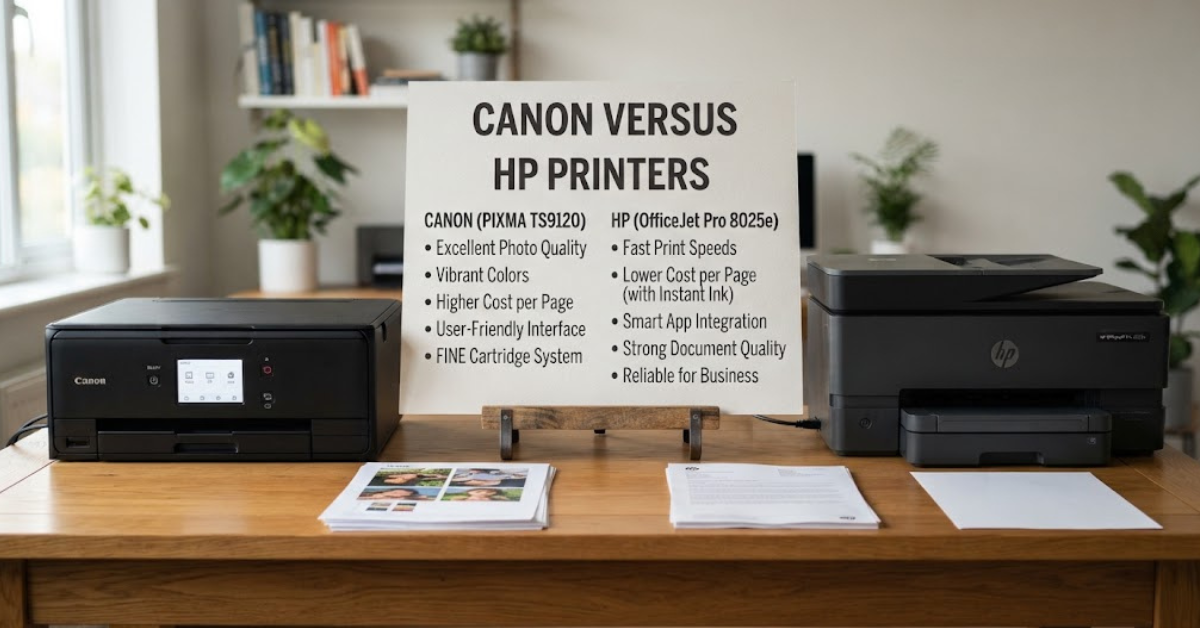
Buying a printer can look simple until you start comparing the cartridges, print speeds, paper handling, wireless features, and running costs. That’s why the Canon versus HP printers debate is still so common among shoppers looking for a home, school, or office printer.
Both companies make a huge variety of machines. Canon’s current lineup includes PIXMA, MAXIFY, imageCLASS, Color imageCLASS, MegaTank, SELPHY, and other specialized printers, while HP offers families such as DeskJet, ENVY, OfficeJet, Smart Tank, and LaserJet.
And that’s important because a photo-focused Canon PIXMA and an HP LaserJet designed for business documents are solving completely different problems.
So rather than asking which brand is universally better, it makes more sense to compare what each company offers for photo printing, documents, ink costs, speed, home use, office work, wireless printing, and long-term ownership.
Let’s break it down.
Canon Versus HP Printers: What’s the Difference?
Canon and HP compete across most major printer categories, but their product families are designed around different workloads.
Canon’s current U.S. lineup includes:
- PIXMA — home printing, photos, documents, and creative projects
- MegaTank — high-volume refillable ink printing
- MAXIFY — home and small-office productivity
- imageCLASS — laser printing for home and office
- Color imageCLASS — color laser printing
- SELPHY — compact photo printing
- imagePROGRAF — specialized large-format printing
Canon’s own buying guide positions PIXMA models around home printing and creative work, MAXIFY around small and home offices, and imageCLASS around laser printing for home and office environments.
HP’s lineup includes:
- DeskJet — basic everyday home printing
- ENVY — family documents and photos
- OfficeJet Pro — higher-volume home and office printing
- Smart Tank — refillable ink-tank printing
- LaserJet — laser document printing
HP similarly positions DeskJet for everyday color documents, ENVY for families and photos, OfficeJet Pro for productivity, and Smart Tank for higher-volume color printing.
So the first rule of the Canon versus HP printers comparison is simple:
Compare printer families and individual models, not just brand names.
Canon vs HP Print Quality
Print quality is one of the first things buyers notice, but there isn’t one universal measurement that tells you which brand produces better prints.
It depends heavily on the printer technology and what you’re printing.
For example, photo printing puts different demands on a printer than black-and-white business documents.
Canon’s PIXMA range includes numerous models specifically categorized for photos and graphics, while its MAXIFY and imageCLASS families focus more heavily on document-oriented workloads.
HP also offers different printer families for different types of output. Its ENVY range is aimed at families that want both documents and high-quality photos, while OfficeJet Pro targets productivity and LaserJet focuses on document printing.
When comparing print quality, look at:
- Text sharpness
- Color accuracy
- Photo detail
- Gradients
- Borderless printing
- Maximum print resolution
- Supported paper types
- Ink or toner technology
A printer that produces excellent black text isn’t necessarily the right printer for printing photographs.
Canon vs HP for Photo Printing
If photographs are important, pay close attention to the printer’s ink system and paper compatibility.
Canon’s PIXMA family includes many models categorized specifically for photo printing. Canon also offers dedicated SELPHY compact photo printers for people who want small-format photo output.
HP’s ENVY family is similarly aimed at households that print both photographs and documents. HP currently describes ENVY printers as suitable for everyday documents and high-quality photos, with selected models supporting borderless photo printing and multiple photo sizes.
For photo printing, check whether the printer supports:
- Borderless printing
- The photo paper sizes you use
- High-quality photo paper
- Multiple ink colors
- Wireless mobile printing
- Color-management features
Also remember that paper matters.
Even an excellent photo printer can produce disappointing results when paired with cheap or unsuitable paper.
Canon Versus HP for Home Use
For a typical household, the printer usually has to do several jobs.
You might print school assignments on Monday, a recipe on Wednesday, tax documents on Friday, and family photos over the weekend.
That makes an all-in-one printer attractive.
Both brands offer multifunction machines that combine:
- Printing
- Scanning
- Copying
- Wireless connectivity
Canon’s PIXMA and MAXIFY families include multifunction models, while HP offers multifunction printers throughout its DeskJet, ENVY, OfficeJet Pro, and Smart Tank categories.
For home use, don’t automatically buy the fastest printer.
Think about how often you actually print.
If you print only 20 pages a month, paying significantly more for a high-volume office printer may not make practical sense.
If your family prints hundreds of pages every month, however, running costs become much more important.
Canon vs HP for Small Offices
Small businesses have different priorities.
A home printer can survive on occasional use. An office printer may need to handle dozens or hundreds of pages every day.
Canon’s MAXIFY family is specifically designed for home and small-office workloads, with Canon highlighting high-volume printing, high-capacity designs, and business-oriented productivity.
HP offers OfficeJet Pro for higher-volume home and home-office printing and LaserJet Pro systems for small and medium-sized businesses. HP’s current business printer lineup includes both color and monochrome LaserJet Pro options.
For an office printer, look beyond basic print quality.
Pay attention to:
- Recommended monthly volume
- Print speed
- Automatic document feeder
- Automatic duplex printing
- Paper capacity
- Ethernet
- Wi-Fi
- Security features
- Scanning speed
- Replacement ink or toner costs
These features can save considerably more time than a small difference in advertised print resolution.
Ink Costs: Canon vs HP
This is where printer shopping gets interesting.
The price of the printer itself is only part of the cost.
You also have to think about what happens after the included ink or toner runs out.
A printer that costs less upfront can become expensive if you print frequently and replacement supplies cost more.
Conversely, a more expensive printer can make sense if its ink system is designed for high-volume printing.
Canon offers MegaTank printers using refillable ink tanks. HP offers Smart Tank models using refillable ink bottles. Both approaches are designed around replacing bottled ink rather than repeatedly buying conventional small cartridges.
HP says its Smart Tank printers use refillable bottles and are designed for replenishment, while selected models include enough ink for thousands of pages.
The important lesson is to calculate cost per page, not just cartridge price.
Canon MegaTank vs HP Smart Tank
If you’re printing frequently, this is one of the most useful comparisons to make.
Both systems use refillable ink tanks rather than conventional cartridges.
That changes the ownership equation.
With a tank printer, you generally buy bottles of ink and refill the reservoirs when necessary. HP describes Smart Tank as a refillable system designed for high-volume printing, while Canon’s lineup includes MegaTank models specifically categorized for high-volume printing.
When comparing two tank printers, check:
- Included ink volume
- Estimated page yield
- Replacement bottle price
- Color ink requirements
- Print speed
- Duplex printing
- Scanner features
- Automatic document feeder
- Warranty
- Local availability of replacement bottles
Don’t assume that every tank printer has the same economics.
The exact model matters.
Canon vs HP Ink Cartridges
Traditional cartridge-based printers can still make sense for people who print relatively little.
If you print only occasionally, a lower-cost printer may be more practical than spending substantially more on a high-volume tank machine.
However, frequent printing can make cartridge costs add up.
This is why you should estimate your monthly printing volume before buying.
Try this simple calculation:
Estimated annual printing = average pages per month × 12
Then consider the manufacturer’s published cartridge yield and replacement cost.
The resulting estimate won’t perfectly predict your real expenses, but it gives you a much better basis for comparison than the printer’s sticker price.
Canon vs HP for Printing Speed
Speed matters most when you’re printing larger jobs.
For occasional home printing, waiting an extra few seconds may not matter.
In a busy office, it can become frustrating.
Laser printers generally have an advantage for high-volume document workflows, which is why both companies offer dedicated laser families.
Canon’s imageCLASS range includes monochrome and color laser printers with models designed for document and high-volume workloads.
HP’s LaserJet portfolio includes printers designed for home offices, small businesses, and larger workgroups. HP’s current LaserJet Pro range includes models designed around higher-speed two-sided printing and document processing.
When comparing print speed, look at the exact specification and whether it refers to black-and-white or color printing.
Canon vs HP for Laser Printing
If most of your printing involves text documents, invoices, reports, forms, or other office paperwork, a laser printer may be worth considering.
Laser printers use toner rather than liquid ink.
This makes them particularly useful for high-volume document printing.
Canon’s imageCLASS and Color imageCLASS families cover monochrome and color laser printing.
HP’s LaserJet lineup spans basic monochrome machines through more advanced color and business systems. HP currently describes LaserJet printers as suitable for high-quality document printing, while LaserJet Pro models target small and medium-sized businesses.
For heavy document workloads, compare:
- Pages per minute
- First-page-out time
- Toner yield
- Duplex speed
- Paper capacity
- Automatic document feeder
- Monthly duty cycle
- Network features
Wireless Printing and Mobile Apps
Modern printers don’t necessarily need to sit next to your computer.
Wi-Fi and mobile printing have become standard features across many current models.
Canon’s printer catalog lists wireless, Wi-Fi Direct, mobile printing, AirPrint, Mopria, and USB connectivity across many current models.
HP likewise supports wireless printing across many home and office printers, with its HP app providing printing and scanning functionality on compatible devices.
For a household with several phones, tablets, and computers, wireless connectivity can be extremely convenient.
But don’t just check whether a printer says “Wi-Fi.”
Look at the exact supported features.
Canon vs HP Scanning and Copying
If you’re buying an all-in-one printer, don’t overlook the scanner.
A printer can have excellent printing performance and still be inconvenient if the scanner is slow or lacks features you need.
For occasional scanning, a basic flatbed scanner may be perfectly adequate.
For office work, an automatic document feeder (ADF) can save enormous amounts of time because you can load multiple pages instead of placing every sheet manually on the scanner glass.
Some office-oriented Canon MAXIFY and imageCLASS models include multifunction configurations, while HP’s OfficeJet Pro and business LaserJet models include multifunction options with automatic document feeders.
If scanning is part of your daily workflow, compare the scanner—not just the printer.
Duplex Printing: A Small Feature That Matters
Automatic two-sided printing, also called duplex printing, can be surprisingly useful.
Instead of manually flipping every sheet, the printer handles both sides automatically.
This can:
- Reduce paper consumption
- Make longer documents easier to manage
- Save time
- Produce more professional-looking reports
Both Canon and HP offer printers with automatic duplex printing, but availability varies by model. Canon’s current catalog allows users to filter models by two-sided printing, while HP lists duplex capability on selected OfficeJet Pro and Smart Tank models.
If you print reports, school assignments, manuals, or contracts regularly, it’s a feature worth having.
Canon vs HP for Students
Students generally don’t need the same printer as a small business.
A student printer should ideally be:
- Affordable
- Compact
- Easy to set up
- Wireless
- Capable of scanning and copying
- Reasonable to operate over time
If you print mostly assignments and occasional color pages, an inexpensive multifunction inkjet may be enough.
If you print hundreds of pages for coursework, a refillable tank printer can be worth considering because the lower-volume economics of conventional cartridges may become less attractive.
Think about your actual monthly page count before deciding.
Canon vs HP for Families
Families often need versatility.
One person might print schoolwork while another prints photographs, forms, travel documents, or craft projects.
This is where multifunction color printers can be useful.
HP’s ENVY and Smart Tank ranges include models aimed at families, with options for photos, documents, scanning, copying, and wireless printing.
Canon’s PIXMA lineup similarly includes printers categorized for photos, documents, crafting, and home use.
If your household prints a mixture of documents and photos, compare the ink system and photo capabilities rather than focusing only on speed.
Canon vs HP for Small Businesses
Small businesses should usually think about total operating cost.
Suppose your business prints 500 pages every month.
A printer that saves a little money upfront but has expensive replacement supplies could cost more over several years.
Canon MAXIFY models are positioned specifically for small and home offices and high-volume document printing.
HP’s OfficeJet Pro and LaserJet Pro families target similar office environments.
For business use, create a simple checklist:
- Monthly page volume
- Black-and-white versus color ratio
- Required print speed
- Duplex printing
- Scanning volume
- ADF requirements
- Network connectivity
- Security requirements
- Supply cost
- Warranty and service
This is much more useful than asking which company has the better reputation.
Printer Size and Desk Space
Printer dimensions are easy to ignore until the box arrives.
Measure your available space before buying.
Remember that you need clearance for:
- Paper trays
- Scanner lid
- Output tray
- Power cable
- Rear paper access
A compact printer can be useful in a bedroom, dorm room, or small home office.
Larger business machines need more dedicated space.
Canon’s lineup includes compact and portable categories alongside larger office machines, while HP offers compact home printers as well as larger OfficeJet and LaserJet models.
Ease of Setup and Maintenance
Nobody wants a printer that becomes a weekend project.
Modern printers generally make wireless setup easier than older models, but the experience still varies.
Before purchasing, consider:
- How ink is loaded
- Whether the ink tank is visible
- How often printheads need maintenance
- Whether the printer provides automatic cleaning
- How easy cartridges or bottles are to replace
- Whether the mobile app is required
- Whether an account is required for optional services
HP, for example, offers optional services such as Instant Ink and HP+, with specific requirements that vary by printer. HP notes that HP+ requires an HP account and internet connection and works with Original HP ink.
Make sure you understand these requirements before choosing a subscription-oriented setup.
Canon vs HP: Subscription Ink Services
Some buyers prefer buying ink only when they need it.
Others like the convenience of automatic delivery.
HP offers Instant Ink, a subscription service that sends ink when needed, with plans based on printing volume. HP currently advertises plans beginning at $1.79 per month in the U.S.
Canon also offers its own PIXMA Print Plan and Auto Replenishment options on selected printers. Canon’s current catalog identifies PIXMA Print Plan availability across some PIXMA models.
Whether a subscription makes sense depends on your printing habits.
If your monthly printing varies wildly, calculate the cost of the plan against buying supplies normally.
Canon vs HP: What About Printer Security?
Security becomes increasingly important when a printer is connected to a home or business network.
This is particularly relevant for businesses that print confidential documents.
Business-oriented printers from both companies can include security and administrative features that aren’t necessarily found on inexpensive home printers.
HP’s current LaserJet Pro and Enterprise announcements emphasize security features, including new protections for business environments.
Canon’s business printer families similarly include network-capable models with enterprise-oriented features, but exact security capabilities depend on the model.
If you’re printing sensitive business information, check the manufacturer’s security specifications rather than assuming a consumer printer has the same protections.
Canon vs HP: Which Printer Type Should You Buy?
Instead of choosing a brand first, choose the printer technology that fits your workload.
Choose an Inkjet Printer If:
- You print photos.
- You need color documents.
- You print occasionally.
- You want a compact multifunction device.
- You need borderless photo printing.
Consider an Ink Tank Printer If:
- You print frequently.
- You want refillable ink.
- You want to reduce the frequency of cartridge purchases.
- Your household prints lots of color documents.
Canon MegaTank and HP Smart Tank are both examples of refillable ink systems.
Consider a Laser Printer If:
- You mostly print documents.
- You print large batches.
- You need fast text printing.
- You want toner rather than liquid ink.
- Your workload is primarily office-oriented.
Canon imageCLASS and HP LaserJet are the major families to examine in this category.
Common Mistakes When Comparing Canon and HP Printers
1. Looking Only at the Printer Price
The purchase price is only one part of ownership cost.
Ink, toner, paper, maintenance, and replacement parts can add up.
2. Ignoring Page Yield
Always check estimated cartridge or bottle yields when comparing running costs.
3. Buying a Photo Printer for a Document-Heavy Office
A photo-focused inkjet may not be the most practical choice for hundreds of pages of business documents.
4. Buying a Laser Printer for Occasional Photos
If photographs are a major priority, investigate the printer’s color and photo capabilities before choosing a document-focused laser model.
5. Ignoring Duplex Printing
Automatic two-sided printing can be extremely useful for regular document printing.
6. Forgetting the Scanner
If you buy an all-in-one, make sure the scanner meets your needs.
7. Not Checking Local Ink Prices
Ink and toner prices can vary significantly between countries and retailers.
8. Comparing Different Printer Types
A refillable ink tank printer and a color laser printer aren’t directly comparable simply because they have similar prices.
Compare printers designed for similar workloads.
How to Compare Canon and HP Printers Before Buying
If you’re standing in a store or browsing online, use this five-step process.
Step 1: Estimate Your Monthly Printing
Write down roughly how many pages you print each month.
Step 2: Separate Color and Black-and-White
Someone printing 90% text has different needs from someone printing mostly photographs.
Step 3: Decide Between Cartridge, Tank, and Laser
This decision can affect your long-term operating cost more than the brand itself.
Step 4: Check Essential Features
Look for:
- Wi-Fi
- Duplex printing
- Scanning
- Copying
- ADF
- Mobile printing
- Paper capacity
Step 5: Calculate the Total Cost
Consider:
Printer price + expected ink/toner cost + paper + maintenance over your expected ownership period.
You don’t need a perfect calculation.
Even a rough estimate can reveal whether a cheap printer is actually economical for your particular workload.
Frequently Asked Questions
Is Canon better than HP for printers?
Canon and HP both make printers across multiple categories, so the answer depends on the specific printer and your intended use. Canon’s PIXMA, MAXIFY, MegaTank, and imageCLASS families cover different workloads, while HP offers DeskJet, ENVY, Smart Tank, OfficeJet Pro, and LaserJet families.
Which is better for photo printing, Canon or HP?
Both offer photo-capable printers. Canon’s PIXMA range includes numerous models specifically categorized for photos, while HP’s ENVY family is designed for families seeking both document and photo printing. Compare the exact model’s ink system, color capabilities, paper support, and borderless printing options.
Which is cheaper to run, Canon or HP?
Running cost depends on the individual printer and its ink or toner system. Refillable tank printers from both Canon and HP are designed for high-volume printing and use bottled ink, while traditional cartridge printers can have different economics.
Is Canon MegaTank better than HP Smart Tank?
Both use refillable ink systems, so compare the specific models rather than assuming one entire product family has lower costs. Check ink included in the box, page yield, replacement bottle prices, print speed, duplex capability, scanning features, and warranty.
Which is better for home use, Canon or HP?
Both brands offer home printers, including multifunction inkjet and refillable tank models. The right choice depends on how much you print, whether you need photographs, and whether low operating costs or a low upfront price is more important to you.
Which is better for office use, Canon or HP?
Both offer dedicated office printers. Canon’s MAXIFY and imageCLASS lines and HP’s OfficeJet Pro and LaserJet families cover different office workloads. For business use, compare print speed, duty cycle, paper capacity, duplex printing, scanning, security, and supply costs.
Are Canon printers good for students?
Canon offers compact multifunction and photo-capable printers that can suit students, depending on the workload. If you print a lot of assignments, consider an ink tank model rather than choosing solely by purchase price.
Are HP printers good for students?
HP offers compact home printers as well as multifunction models designed for everyday documents and family use. The right model depends on printing volume, budget, available space, and whether you need scanning or color photos.
Which lasts longer, Canon or HP printers?
There isn’t a single lifespan that applies to every Canon or HP printer. Longevity depends on the printer type, print volume, maintenance, environmental conditions, consumables, and how heavily the machine is used.
Is laser or inkjet better?
Neither technology is universally better. Inkjet is often attractive for color and photo printing, while laser is particularly useful for fast, document-heavy workloads. Refillable ink-tank systems provide another option for people who print large volumes of color documents.
Do Canon and HP printers work with phones?
Many current Canon and HP printers support wireless and mobile printing, although the exact features depend on the model. Canon lists mobile printing, AirPrint, Mopria, Wi-Fi Direct, and wireless connectivity across many current printers. HP likewise offers wireless printing and app-based features on many home and office models.
Final Thoughts on Canon Versus HP Printers
The Canon versus HP printers debate becomes much easier when you stop treating it as a simple brand competition.
Canon currently offers a broad selection spanning PIXMA, MegaTank, MAXIFY, imageCLASS, Color imageCLASS, and specialized photo and large-format printers. HP covers a similarly broad range, from DeskJet and ENVY to Smart Tank, OfficeJet Pro, and LaserJet.
For photo-heavy printing, investigate the specific photo-oriented models. For large volumes of color documents, compare refillable tank systems. For primarily black-and-white office documents, look closely at laser printers. And for a mixed household workload, an all-in-one multifunction printer may make the most sense.
Most importantly, don’t stop at the printer’s purchase price.
Look at ink or toner costs, page yield, print volume, speed, duplex printing, scanning, connectivity, warranty, and the features you’ll actually use.
Once you identify your printing habits and compare two or three specific models on those points, the Canon versus HP printers decision becomes far more straightforward.