Buying a printer sounds simple until you start comparing ink cartridges, toner, print speeds, paper types, and dozens of nearly identical-looking models.
If you’re stuck wondering about the difference between inkjet and laser printer, you’re not alone. These two printer technologies work in very different ways, and the better choice depends heavily on what you print, how often you print, and how much you’re willing to spend over time.
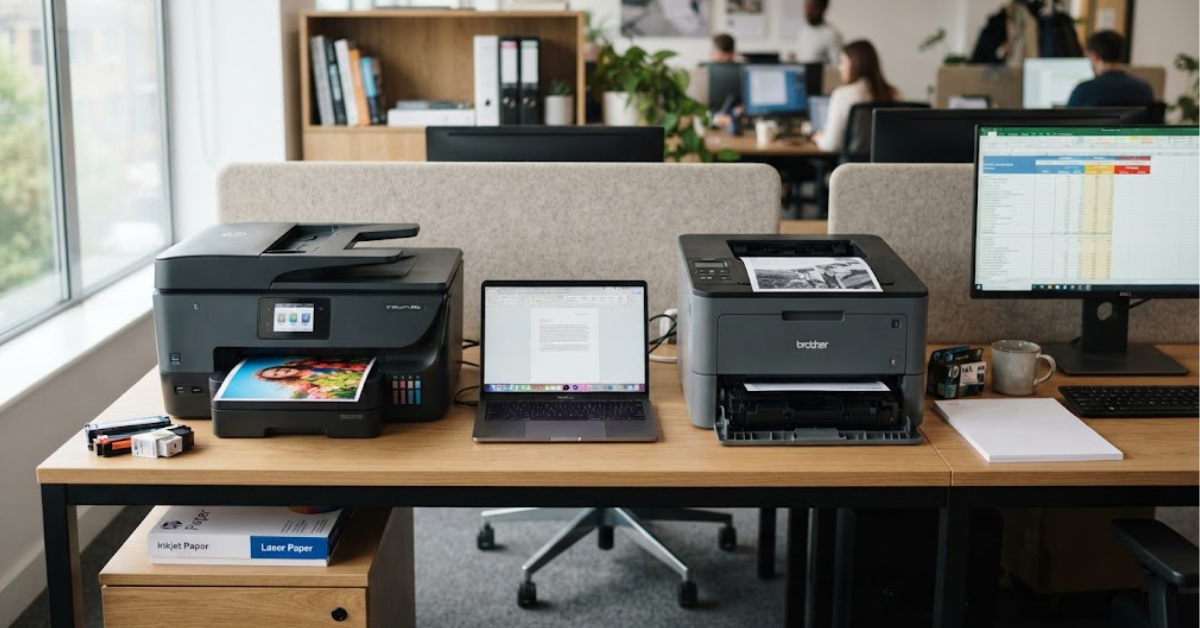
An inkjet printer sprays tiny droplets of liquid ink onto paper, while a laser printer uses a laser or LED-based imaging process and powdered toner. That basic difference affects everything from photo quality and printing speed to maintenance and running costs.
So, what is the difference between inkjet and laser printer technology in practical terms? Let’s break it down without the confusing technical jargon.
What Is the Difference Between Inkjet and Laser Printer?
The easiest way to understand the difference is to look at how each machine puts an image or document onto paper.
How an inkjet printer works
An inkjet printer uses liquid ink stored in cartridges or refillable tanks. The printhead moves across the paper and places extremely small droplets of ink in precise locations.
Those droplets combine to create text, graphics, photographs, and other images.
Inkjet printers are particularly flexible because they can reproduce a wide range of colors and work with many types of paper. That’s one reason they’re popular for:
- Home printing
- School projects
- Family photographs
- Greeting cards
- Crafts
- Color graphics
- Occasional document printing
Some modern inkjet printers use traditional cartridges, while others use refillable ink tanks designed to reduce the cost of frequent printing.
How a laser printer works
Laser printers take a completely different approach.
Instead of liquid ink, they use powdered toner. A laser or similar imaging system creates an electrostatic pattern that attracts toner to specific areas. The toner is then transferred to the paper and fused using heat.
This process is especially well suited to producing large quantities of sharp text quickly.
Laser printers are commonly used for:
- Business documents
- Reports
- Invoices
- Forms
- School assignments
- High-volume office printing
- Black-and-white documents
Color laser printers are also available and can produce professional-looking color documents, although they’re generally designed around document printing rather than photographic output.
Inkjet vs. Laser Printer at a Glance
Before getting into the details, here’s a quick comparison.
| Feature | Inkjet Printer | Laser Printer |
| Printing technology | Liquid ink | Powdered toner |
| Best known for | Photos and versatile color printing | Fast document printing |
| Text quality | Very good to excellent | Excellent |
| Photo quality | Usually excellent | Generally less suited to photos |
| Printing speed | Usually slower | Usually faster |
| Initial price | Often lower | Often higher |
| Ink/toner longevity | Ink can dry over time | Toner doesn’t dry out like liquid ink |
| High-volume printing | Depends on model | Generally well suited |
| Color printing | Excellent | Good to excellent on color models |
| Occasional printing | Can be suitable | Often convenient |
| Home use | Excellent for many users | Excellent for document-heavy users |
| Office use | Good for certain workloads | Often well suited |
The table gives you the broad picture, but the real differences become clearer when you consider individual features.
Print Quality: Inkjet vs. Laser
Print quality is one of the biggest factors people consider when choosing a printer.
But “quality” doesn’t mean exactly the same thing for every type of document.
Inkjet print quality
Inkjet printers have a major advantage when you’re printing photographs, detailed color graphics, or images with smooth tonal transitions.
Because they place tiny droplets of liquid ink on the paper, they can blend colors and reproduce subtle variations particularly well.
A good inkjet printer can produce:
- Detailed photographs
- Smooth color gradients
- Rich-looking graphics
- Fine illustrations
- High-quality color documents
The paper also matters. Photo paper designed for inkjet printing can make a noticeable difference in the final result.
Laser print quality
Laser printers are particularly strong when your priority is crisp, readable text.
Characters tend to have clean edges, and toner doesn’t have the same tendency to spread into ordinary paper fibers as liquid ink can.
For business documents, contracts, spreadsheets, invoices, and reports, laser printing can look extremely sharp.
So, when asking what’s the difference between inkjet and laser printer quality, the answer depends on what you’re printing.
For photographs and image-heavy work: inkjet generally has the advantage.
For everyday text documents: both can produce excellent results, with laser printers particularly well suited to sharp, consistent text output.
Which Printer Is Faster?
If you’re regularly printing dozens or hundreds of pages, speed becomes much more important.
Laser printers are generally designed for fast document production. Many office-oriented models can print pages at substantially higher speeds than basic home inkjet printers.
Inkjet printers can be perfectly adequate for everyday home printing, but they’re often not designed around the same high-volume document workloads.
For example, printing a few homework pages isn’t likely to make the difference noticeable. Printing a 100-page report is another story.
What printer speed actually means
Don’t look only at the manufacturer’s maximum pages-per-minute figure.
Real-world performance can also depend on:
- Whether you’re printing in color
- Document complexity
- Duplex printing
- Printer warm-up time
- First-page-out time
- Computer or network connection
- Paper size
- Print quality settings
For a home user printing five or ten pages at a time, maximum speed may not matter much.
For a busy office, it can matter a lot.
Inkjet vs. Laser Cost
The purchase price of a printer is only part of the story.
A printer that costs less initially isn’t necessarily cheaper to own.
You need to consider total cost of ownership, including consumables, paper, maintenance, and how much you actually print.
Inkjet printer costs
Basic inkjet printers are often relatively affordable to purchase.
The problem can arise when they’re paired with small ink cartridges and used heavily. Replacement cartridges can become a significant ongoing expense.
That’s why high-volume inkjet printers with refillable tanks have become increasingly popular.
Instead of repeatedly replacing small cartridges, you refill reservoirs using bottles of ink.
Laser printer costs
Laser printers can have a higher initial purchase price, particularly business-oriented models.
However, toner cartridges can produce many pages, and toner doesn’t dry out in the same way liquid ink can.
For people who regularly print large amounts of text, a laser printer can therefore make economic sense.
But don’t assume every laser printer is automatically cheaper.
Toner prices, drum replacements, color cartridges, printer duty cycles, and the amount you print all affect the real cost.
Ink Cartridges vs. Toner
This is another major part of the difference between inkjet and laser printer technology.
Ink cartridges contain liquid ink.
Toner cartridges contain fine powder.
That physical difference has practical consequences.
Ink cartridges
Ink can gradually dry, especially when a printer sits unused for extended periods.
Some printers also perform maintenance or printhead-cleaning cycles that consume ink.
This doesn’t mean inkjet printers are unsuitable for occasional printing. It simply means that usage patterns matter.
Toner cartridges
Toner is a dry powder, so it doesn’t dry out inside the cartridge in the same way liquid ink does.
That’s one reason laser printers can be appealing to people who might leave their printer unused for weeks and then suddenly need to print a large batch of documents.
However, laser printers can have additional consumable components, such as imaging drums, depending on the printer design.
Which Is Better for Photos?
If photographs are important to you, an inkjet printer is usually the technology you should investigate first.
Inkjet printers can produce smooth color transitions and detailed photographic output, particularly when paired with suitable photo paper.
Some dedicated photo inkjets use additional ink colors beyond the standard cyan, magenta, yellow, and black combination to expand their color range.
Laser printers can print photographs, especially color laser models, but their strengths are generally more aligned with documents, charts, presentations, and business graphics.
Choose inkjet if you regularly print:
- Family photographs
- Travel pictures
- Artwork
- Photo projects
- Color illustrations
- Creative projects
If photographs are only an occasional requirement, you may also find that using a dedicated photo-printing service is more economical than buying a specialized photo printer.
Which Is Better for Text Documents?
This is where laser printers really shine.
If your typical workload consists of:
- Essays
- Reports
- Invoices
- Contracts
- Receipts
- Forms
- Meeting documents
- Business correspondence
a laser printer can be a very practical choice.
That doesn’t mean inkjet text is poor. Modern inkjet printers can produce remarkably sharp documents.
The question is whether you need the additional speed and high-volume capabilities commonly associated with laser printing.
Which Is Better for Home Use?
There isn’t one answer because “home use” can mean very different things.
Consider two households.
Household A: Mostly photos and school projects
They print family photos, colorful assignments, invitations, and occasional documents.
An inkjet printer may fit this type of workload particularly well.
Household B: Mostly documents
They print tax paperwork, forms, homework, invoices, and long reports.
A compact laser printer may be a better match for that printing pattern.
The important lesson is simple:
Don’t choose a printer based solely on whether you use it at home or in an office. Choose based on what you actually print.
Which Is Better for a Small Business?
Small businesses need to think beyond print quality.
Reliability, speed, networking, paper capacity, automatic duplex printing, scanning, and operating costs can all matter.
A business that prints hundreds of black-and-white pages each week may benefit from a laser printer designed for higher workloads.
A design business that produces colorful promotional materials may have different priorities and could prefer an inkjet.
For many small offices, a multifunction printer can be particularly useful because it combines printing, scanning, copying, and sometimes faxing in one device.
What About Color Printing?
Both technologies can print in color.
But their strengths differ.
Color inkjet
Inkjet technology is widely associated with rich color reproduction and photo printing. It’s a natural fit for images and creative work.
Color laser
Color laser printers can produce excellent business graphics and color documents while maintaining the speed and workflow advantages associated with laser technology.
They’re often a better match for offices that need large quantities of color documents rather than photographic prints.
Duplex Printing: Does It Matter?
Duplex printing means automatically printing on both sides of a sheet.
It’s a small feature that can become extremely useful once you start using it.
Automatic duplex printing can:
- Reduce paper consumption
- Make reports easier to manage
- Produce more compact documents
- Reduce manual page flipping
Many modern inkjet and laser printers offer automatic duplex printing, but you should verify the specification before buying.
If you frequently print multi-page documents, it’s worth treating duplex capability as a standard buying requirement rather than an optional extra.
Inkjet vs. Laser Maintenance
Maintenance is another important consideration.
Inkjet maintenance
Inkjet printers may perform printhead maintenance to keep the nozzles working properly.
If an inkjet printer sits unused for long periods, dried ink or clogged nozzles can sometimes become an issue.
Using the printer periodically and following the manufacturer’s maintenance instructions can help.
Laser maintenance
Laser printers don’t have liquid ink nozzles, so dried ink isn’t an issue.
However, laser printers still have components that eventually require replacement or servicing. Depending on the model, these can include toner cartridges, imaging drums, fusers, or waste-toner components.
So the difference isn’t really “one requires maintenance and the other doesn’t.”
It’s more accurate to say that the type of maintenance is different.
Which Printer Lasts Longer?
Printer lifespan varies enormously between models.
Build quality, workload, maintenance, environment, and usage patterns all affect longevity.
A printer designed for a small home workload shouldn’t be expected to handle the same volume as a commercial office machine.
Instead of asking only, “How many years will this printer last?” look for the manufacturer’s recommended monthly print volume and duty-cycle information.
That gives you a better indication of whether a particular machine is designed for your workload.
Inkjet vs. Laser for Students
Students often need a combination of affordability, color printing, scanning, and document production.
An inkjet all-in-one can be useful if students regularly print colorful assignments, diagrams, photographs, or projects.
A monochrome laser printer can make more sense when the workload is overwhelmingly black-and-white text.
Before buying, consider whether the printer includes:
- Wi-Fi
- Automatic duplex printing
- A scanner
- Mobile printing
- Affordable replacement supplies
- A suitable paper tray
The cheapest printer on the shelf isn’t necessarily the cheapest option over four years of schoolwork.
Inkjet vs. Laser for Remote Workers
Remote workers often print fewer pages than traditional offices, but the documents may be important.
Contracts, invoices, forms, presentations, shipping documents, and administrative paperwork can all require reliable printing.
A compact monochrome laser printer can be appealing if nearly everything is black and white.
An inkjet all-in-one can be more versatile if you also need color graphics, scanning, and occasional photographs.
Again, your workload should determine the choice.
What About Refillable Ink Tank Printers?
Refillable ink tank printers deserve special attention because they blur the old assumption that inkjet printers are automatically expensive to operate.
Instead of replacing conventional cartridges frequently, these printers use refillable reservoirs.
The upfront price can be higher than entry-level cartridge-based inkjets, but the economics can be attractive for people who print frequently.
They’re worth considering if you:
- Print hundreds of pages regularly
- Need lots of color
- Want to avoid frequent cartridge replacement
- Print school materials or business documents
- Want to monitor ink consumption more easily
However, always compare the manufacturer’s stated page yields and bottle prices rather than assuming a tank printer will automatically save money.
What About Printer Subscriptions?
Some printer manufacturers offer subscription programs that automatically manage or replenish ink or toner based on usage.
These services can be convenient, but they’re not automatically the right choice for everyone.
Before subscribing, check:
- The monthly fee.
- How many pages are included.
- What happens if you exceed the allowance.
- Whether unused pages roll over.
- Whether the service requires an internet connection.
- Whether compatible cartridges remain usable if you cancel.
If you print very little, a subscription may not provide much value.
If you print consistently, it may simplify supply management.
Common Mistakes When Buying a Printer
Many people focus almost entirely on the sticker price.
That’s a mistake.
Here are some of the most common printer-buying errors.
1. Choosing the cheapest printer
A $60 printer isn’t necessarily cheaper than a $150 printer.
Look at the cost of ink or toner over several years.
2. Ignoring print volume
A person printing ten pages per month has very different requirements from someone printing 500 pages.
3. Buying an inkjet for heavy document printing
An inexpensive inkjet may struggle to make financial sense if you’re constantly replacing cartridges.
4. Buying a laser printer for photo work
A laser printer may be excellent for documents but not the best match for someone whose priority is high-quality photography.
5. Forgetting about duplex printing
If you regularly print long documents, automatic two-sided printing can save paper and time.
6. Ignoring the scanner
If you need to scan documents, receipts, identification paperwork, or forms, an all-in-one printer can be far more convenient than a printer-only model.
7. Looking only at pages per minute
Speed specifications don’t tell the entire story. First-page-out time and real-world workload can matter just as much.
How to Choose Between Inkjet and Laser
If you’re still unsure, use this simple process.
Step 1: Identify what you print most
Ask yourself whether your printer will mainly produce:
- Text documents
- Photos
- Color graphics
- Schoolwork
- Business paperwork
- Mixed content
Step 2: Estimate your monthly pages
You don’t need an exact number.
Even a rough estimate can help you eliminate unsuitable models.
Step 3: Calculate the running cost
Look beyond the printer’s purchase price.
Compare cartridge or toner yields and replacement costs.
Step 4: Decide whether color matters
If almost everything you print is black and white, you may not need a color printer.
Step 5: Consider convenience
Features such as Wi-Fi, automatic duplex printing, an automatic document feeder, mobile printing, and scanning can make a major difference in everyday use.
Step 6: Check the printer’s recommended workload
Make sure the model is designed for the amount you expect to print.
Inkjet or Laser: A Simple Decision Guide
Here’s the easiest way to narrow things down.
Consider an inkjet if you:
- Print lots of photos
- Need strong color reproduction
- Print creative projects
- Want flexible media handling
- Need occasional documents and images from the same machine
Consider a laser printer if you:
- Print mostly text
- Print large batches
- Prioritize speed
- Want toner that won’t dry out during periods of inactivity
- Need a printer for a document-heavy office
Consider a refillable ink tank if you:
- Print a lot of color
- Want lower-cost high-volume ink printing
- Prefer refillable reservoirs
- Print frequently enough to justify the higher initial purchase price
The exact specifications still matter, because printers within the same category can behave very differently.
Frequently Asked Questions
What is the difference between inkjet and laser printer?
The fundamental difference is the printing technology. Inkjet printers place liquid ink droplets onto paper, while laser printers use powdered toner and an electrostatic imaging process. Inkjet models are often particularly suited to photographs and versatile color printing, while laser models are commonly designed for fast, high-volume document printing.
What’s the difference between inkjet and laser printer for home use?
It depends on what you print. Inkjet printers can be a good fit for households that need photos, color graphics, and general-purpose printing. Laser printers can be especially convenient for homes that primarily print text documents.
What is difference between inkjet and laser printer cost?
The printer’s purchase price and running cost can differ substantially. Inkjet printers may have lower upfront prices, while laser printers can offer advantages for high-volume document printing. Refillable ink tanks can also change the economics of inkjet printing.
Is an inkjet or laser printer better for photos?
Inkjet printers are generally the better technology to investigate for photographic printing because they can produce detailed images and smooth color transitions. Paper selection also has a major impact on the result.
Is laser printing cheaper than inkjet printing?
Not necessarily. It depends on the model, consumable prices, page yields, and how much you print. A high-volume user may find laser printing economical, while a frequent color printer may prefer a refillable ink tank.
Can laser printers print in color?
Yes. Color laser printers use multiple toner colors to produce color documents. They’re commonly used for presentations, charts, graphics, and other business materials.
Can inkjet printers print text?
Absolutely. Modern inkjet printers can produce very sharp text, particularly when used with suitable paper and appropriate print settings.
Which printer is better if I print only occasionally?
Both can work. Laser printers have the advantage that toner doesn’t dry out like liquid ink. However, an inkjet may be more versatile if occasional printing includes photographs and color projects.
Which printer is faster?
Laser printers are generally faster for high-volume document workloads, although speeds vary considerably between individual models.
Do laser printers use ink?
No. Traditional laser printers use toner, which is a powdered printing material rather than liquid ink.
Do inkjet printers use toner?
No. Inkjet printers use liquid ink, either from cartridges or, in tank-based models, refillable ink reservoirs.
Final Thoughts on the Difference Between Inkjet and Laser Printer
Understanding the difference between inkjet and laser printer becomes much easier once you stop thinking about which technology is universally better and start thinking about your actual printing habits.
Inkjet printers are particularly attractive for photographs, colorful graphics, creative projects, and flexible home printing. Laser printers are often better suited to fast, consistent document production and heavier workloads. Refillable ink tank printers add another option for people who print large amounts of color.
The smartest purchase isn’t necessarily the printer with the lowest price or the highest specifications. It’s the one whose technology, consumable costs, speed, features, and workload capacity match what you’ll actually do with it.
Before buying, estimate your monthly pages, decide whether you need color, compare ink or toner costs, and check features such as automatic duplex printing, scanning, Wi-Fi, and mobile printing.
Once you know those details, the difference between inkjet and laser printer technology stops being confusing—and choosing the right printer becomes a much simpler decision.