
Have you ever read an academic paper or book and noticed a tiny number at the end of a sentence? You follow the number, only to find either a note at the bottom of the page or a long list of notes at the end of the document. That small difference can actually make a big impact on how easy a piece of writing is to read.
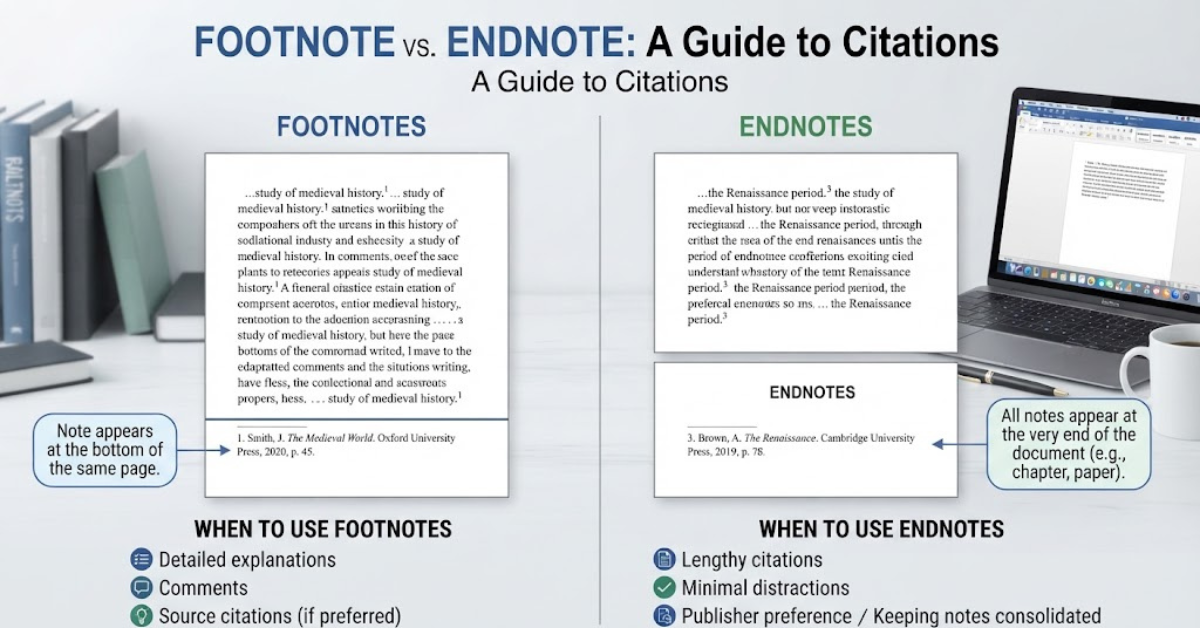
The difference between footnote and endnote mainly comes down to where the note appears. A footnote is placed at the bottom of the page where the reference or explanation appears, while an endnote is collected at the end of a chapter, section, or entire document.
Both are used to provide additional information, explain a point, acknowledge a source, or cite material without interrupting the main text. The choice between them depends on the type of document, the citation style you’re following, and how much supporting information you need to provide.
Let’s take a closer look at what is the difference between footnote and endnote, including how each works, when to use one, and how the two differ in Microsoft Word.
What Is a Footnote?
A footnote is a short note placed at the bottom of the page where a particular statement, quotation, or idea appears.
A small superscript number or symbol is usually placed in the main text. The reader can then look at the bottom of that same page to find the corresponding note.
For example:
The printing press transformed the spread of information in Europe.¹
At the bottom of the page, you might see:
¹ For a detailed discussion of early European printing, see the relevant historical sources.
The reader doesn’t have to leave the page to find the additional information.
What Are Footnotes Used For?
Footnotes can serve several purposes, including:
- Citing a source
- Providing additional explanation
- Defining an unfamiliar term
- Adding historical context
- Providing a related reference
- Including a brief comment that doesn’t fit naturally into the main text
They’re especially common in academic writing, historical research, legal documents, and scholarly books.
What Is an Endnote?
An endnote works in much the same way as a footnote, but its location is different.
Instead of appearing at the bottom of the page, the note is placed at the end of a chapter, section, or document.
The main text might contain a superscript number:
The development of digital publishing changed how readers access information.²
The reader then finds note 2 in an endnotes section later in the document.
Endnotes are often grouped together under a heading such as Notes, Endnotes, or Notes and References.
What Are Endnotes Used For?
Endnotes can be used for:
- Source citations
- Additional explanations
- Supporting evidence
- Bibliographic information
- Historical references
- Comments or observations
The purpose is essentially the same as a footnote. The major distinction is where the information is displayed.
What Is the Difference Between Footnote and Endnote?
So, what is the difference between footnote and endnote?
The simplest answer is location.
A footnote appears at the bottom of the page containing the relevant reference number. An endnote appears in a dedicated section at the end of a chapter, section, or document.
Here’s a quick comparison:
| Feature | Footnote | Endnote |
| Location | Bottom of the page | End of chapter or document |
| Reader convenience | Information is immediately visible | Reader must navigate to the notes section |
| Main purpose | Citations and additional information | Citations and additional information |
| Effect on page layout | Can take up page space | Keeps individual pages cleaner |
| Common in | Academic papers, books, legal writing | Books, research papers, academic works |
| Reading flow | Easy to check while reading | Requires moving away from the main text |
| Organization | Notes appear page by page | Notes are collected together |
There isn’t necessarily a universally “better” option. Each has advantages depending on the document.
Footnote vs. Endnote: The Main Differences
While both systems accomplish similar things, several practical differences are worth understanding.
1. Location
This is the most obvious difference.
Footnotes appear at the bottom of the page.
Endnotes appear at the end of a larger section or document.
If a reader wants to check a footnote, the information is usually right there. With an endnote, the reader has to move to another part of the document.
2. Reading Experience
Footnotes are convenient for readers who want to check sources or explanations immediately.
Imagine reading a history book and encountering a claim you’re curious about. If the book uses footnotes, you can look toward the bottom of the page and see the supporting information.
Endnotes create a cleaner page because they don’t fill the bottom with additional text.
The trade-off is that readers have to turn pages or navigate to another section.
3. Page Appearance
Footnotes can make pages look busy, particularly when several lengthy notes appear on the same page.
This can be distracting in documents with extensive citations.
Endnotes keep the individual pages cleaner because the notes are moved elsewhere.
This is one reason some books and long-form publications prefer endnotes.
4. Accessibility of Information
Footnotes generally make supporting information easier to access.
Endnotes require an extra step.
Neither system is inherently difficult, but the difference becomes noticeable when a document contains dozens or hundreds of references.
5. Document Length
Footnotes can increase the amount of material appearing on individual pages.
A page with several long footnotes may contain significantly less main text.
Endnotes avoid this issue by moving the notes away from the main content.
For lengthy academic or scholarly documents, this can make page formatting easier to manage.
When Should You Use a Footnote?
Footnotes are useful when the reader benefits from seeing additional information immediately.
Consider using footnotes when:
- Your citation style allows or requires them.
- You want readers to check sources quickly.
- Your notes are relatively short.
- You frequently provide brief explanations.
- Your document benefits from immediate references.
They’re particularly useful in writing where source information is important to the reader but shouldn’t interrupt the main paragraph.
For example, a historical essay may use footnotes to identify primary sources, explain terminology, or provide additional context.
When Should You Use an Endnote?
Endnotes can be a better fit when keeping pages visually clean is important.
They can work well when:
- You have many citations.
- Your notes are relatively long.
- The document has numerous references.
- Your publisher or instructor requests endnotes.
- You want to avoid cluttering every page.
- You’re writing a book or lengthy research document.
Endnotes are particularly common in scholarly books and some academic writing styles.
However, always follow the requirements of your school, publisher, journal, or citation style before choosing one.
Difference Between Footnote and Endnote in Word
If you’re using Microsoft Word, the difference between footnote and endnote in Word is surprisingly straightforward.
Word provides built-in tools for creating both.
When you insert a footnote, Word automatically places a reference number in your text and creates the corresponding note at the bottom of the page.
When you insert an endnote, Word places the reference number in your text and creates the corresponding note in the endnotes section.
The useful part is that Word manages the numbering for you.
If you add another note earlier in the document, Word can automatically update the numbering instead of making you renumber everything manually.
How to Insert a Footnote in Microsoft Word
The exact interface can vary slightly between Word versions, but the basic process is straightforward.
Step 1: Place your cursor
Put your cursor immediately after the word, phrase, sentence, or quotation you want to reference.
Step 2: Open the References tab
In Microsoft Word, select the References tab in the ribbon.
Step 3: Choose Insert Footnote
Select Insert Footnote.
Word will add a superscript number to your text and move your cursor to the bottom of the page.
Step 4: Type the note
Enter your citation, explanation, or additional information.
Word handles the numbering automatically.
How to Insert an Endnote in Microsoft Word
The process is almost identical.
Step 1: Position your cursor
Place your cursor where you want the endnote reference number to appear.
Step 2: Go to References
Open the References tab.
Step 3: Select Insert Endnote
Click Insert Endnote.
Word will insert the superscript reference and move you to the appropriate endnotes section.
Step 4: Add your information
Type the citation or explanatory note.
As with footnotes, Word automatically manages the numbering.
How to Convert Footnotes to Endnotes in Word
One useful feature of Word is that you don’t necessarily have to recreate all your notes if you later decide to change formats.
You can use Word’s footnote and endnote settings to convert one type into the other.
Generally, you can:
- Open the References tab.
- Access the Footnotes dialog box.
- Choose the appropriate conversion option.
- Select whether you want to convert footnotes to endnotes or vice versa.
- Apply the changes.
This can save considerable time on long documents.
Always review the document afterward, especially if it contains complicated formatting.
Footnotes and Endnotes in Academic Writing
Students often encounter footnotes and endnotes when writing research papers, dissertations, theses, and essays.
The important thing to remember is that the citation method isn’t always a matter of personal preference.
Your instructor or institution may require a particular style.
Some major academic citation systems use notes differently. For example, Chicago style commonly uses notes and bibliography, while other styles primarily use author-date or parenthetical citations.
If your assignment specifies a citation style, follow its rules rather than choosing a format simply because it looks better.
Why Footnotes Matter in Research
Academic writing often involves claims that need supporting evidence.
Instead of placing a long citation inside the paragraph, a footnote can provide the source without interrupting the sentence.
This can make complex research easier to read.
Why Endnotes Matter in Research
Endnotes can serve the same purpose while keeping the main pages relatively uncluttered.
They’re particularly useful when a paper contains extensive supporting commentary.
The important thing is consistency. Mixing systems without a reason can confuse readers.
Footnote vs. Endnote for Books
Books can use either system.
A book with footnotes gives readers immediate access to sources and explanations. This can be particularly useful for readers who want to examine the evidence as they go.
Endnotes, meanwhile, keep the main pages visually cleaner.
Some nonfiction books place extensive source material at the end because the author wants the main narrative to remain uninterrupted.
For a scholarly book, the choice may depend on the publisher’s style guidelines.
Footnotes vs. Endnotes in Legal Writing
Legal writing has its own conventions, and citation practices can vary by jurisdiction and document type.
Footnotes are often useful because legal readers may need to check authorities, cases, statutes, or explanatory information without losing their place in the main text.
However, legal professionals should always follow the applicable court, institution, or publication’s formatting requirements.
Never assume that a general footnote rule applies to every legal document.
Are Footnotes and Endnotes the Same as a Bibliography?
No.
This is a common point of confusion.
A footnote or endnote typically connects a specific statement, quotation, or idea to supporting information or a source.
A bibliography is generally a separate list of sources associated with the work as a whole.
For example, a footnote might identify the exact book and page that supports a particular statement.
A bibliography may list that book among all the other sources consulted for the project.
The two can work together.
Footnote vs. Endnote vs. Parenthetical Citation
These are three different approaches to providing source information.
Footnote
Source information appears at the bottom of the page.
Example:
The study found a significant relationship between the two variables.¹
Then the source appears at the bottom of the page.
Endnote
The text contains the same type of superscript reference, but the source appears in an endnotes section.
Parenthetical citation
The source information appears directly in the text.
For example:
The study found a significant relationship between the two variables (Smith 2024).
Different academic styles favor different systems.
Advantages of Footnotes
Footnotes have several practical benefits.
Immediate access: Readers can see supporting information without leaving the page.
Useful for explanations: You can clarify a term or point without interrupting the main paragraph.
Convenient for research: Readers can quickly inspect sources.
Good for detailed scholarship: Historians and researchers can provide context alongside the relevant discussion.
Disadvantages of Footnotes
Footnotes aren’t perfect.
They can:
- Make pages visually crowded
- Reduce the amount of main text on a page
- Become difficult to manage when notes are very long
- Distract readers from the main narrative
- Create complicated page layouts
A document with one short footnote every few pages may look fine. A document with half a dozen lengthy footnotes on every page can become much harder to read.
Advantages of Endnotes
Endnotes offer their own benefits.
Cleaner pages: Notes don’t compete with the main text.
Better for long notes: Extensive commentary can be collected separately.
Simpler page layout: Publishers don’t have to accommodate large blocks of notes at the bottom of every page.
Useful for long documents: Large collections of citations can be organized in one place.
Disadvantages of Endnotes
The biggest drawback is convenience.
Readers must navigate away from the page to check a reference.
This can interrupt the reading experience, especially when the reader wants to verify several sources.
Endnotes can also become a long list that takes time to navigate.
How to Use Footnotes and Endnotes Correctly
Regardless of which system you choose, a few habits will keep your document professional.
1. Be consistent
Don’t randomly switch between footnotes and endnotes.
Choose the system required by your style guide and use it consistently.
2. Cite sources accurately
Make sure names, titles, publication information, dates, and page numbers are correct when required.
3. Don’t overuse explanatory notes
Not every minor thought needs a footnote.
If information is essential to understanding your argument, it may belong in the main text.
4. Follow the required citation style
Different styles have different rules for formatting notes.
Check the official style guide or the instructions provided by your instructor, editor, or publisher.
5. Keep notes useful
A good note adds value.
It should provide evidence, context, clarification, or another legitimate reason for existing.
Common Mistakes to Avoid
Even experienced writers can make mistakes with notes.
Here are a few worth watching for:
- Using footnotes when the assignment requires endnotes
- Mixing citation styles
- Forgetting to include page numbers when required
- Citing a source inaccurately
- Using notes for information that belongs in the main text
- Creating excessively long notes
- Manually numbering notes instead of using Word’s automatic system
- Forgetting to update references after major edits
Using Word’s built-in footnote and endnote features can eliminate many numbering problems.
Which Is Better: Footnote or Endnote?
There’s no universal answer.
The better option depends on your document and its requirements.
Choose footnotes when immediate access to references or explanations is important.
Choose endnotes when you want cleaner pages or need to collect extensive notes away from the main text.
And if you’re writing an academic assignment, the most important rule is simple: follow the required citation style first.
Frequently Asked Questions
What is the difference between footnote and endnote?
A footnote appears at the bottom of the page where its reference occurs. An endnote appears in a separate notes section at the end of a chapter, section, or document. Both can provide citations, explanations, or additional information.
What’s the main difference between footnote and endnote?
The main difference is location. Footnotes are displayed at the bottom of the relevant page, while endnotes are collected at the end of a larger section or document.
What is the difference between footnote and endnote in Word?
In Microsoft Word, a footnote is automatically placed at the bottom of the relevant page, while an endnote is placed at the end of the document or designated section. Word automatically handles the reference numbering for both.
Are footnotes or endnotes better for academic writing?
Neither is universally better. The appropriate choice depends on the required citation style, instructor, institution, journal, or publisher. Chicago-style notes, for example, commonly use footnotes or endnotes.
Can footnotes and endnotes be used together?
They can be used together in some documents, but doing so isn’t always appropriate. Follow the requirements of the relevant citation style or publication guidelines.
Is a footnote a citation?
A footnote can contain a citation, but it doesn’t have to. It can also provide an explanation, definition, clarification, or additional information.
Is an endnote the same as a reference?
Not exactly. An endnote is a note placed at the end of a section or document. It may contain a reference to a source, but the terms aren’t interchangeable.
Do footnotes appear on every page?
No. A footnote only appears on a page when the main text on that page contains a corresponding footnote reference.
Can you convert footnotes to endnotes in Microsoft Word?
Yes. Microsoft Word includes tools for converting footnotes to endnotes and vice versa through its footnote and endnote settings.
Should footnotes be included in a bibliography?
That depends on the citation style. A footnote may identify a source, while a bibliography provides a broader list of sources. Some styles use both.
Final Thoughts on the Difference Between Footnote and Endnote
The difference between footnote and endnote is ultimately quite simple: footnotes appear at the bottom of the page, while endnotes appear at the end of a chapter, section, or document.
The real decision comes down to how you want readers to interact with your supporting information.
If readers need to check citations or explanations as they read, footnotes provide convenient access. If keeping pages clean and uncluttered is more important, endnotes can be a practical alternative.
And when you’re working in Microsoft Word, you don’t have to manage the numbering manually. Word’s built-in tools can create, organize, and convert footnotes and endnotes for you.
Before choosing either system, check your assignment instructions, publisher requirements, or citation style guide. Once you know those requirements, selecting and formatting the right type of note becomes much easier.